Mirrai Careers
Free Cover Letter Templates: Google Docs, Word & PDF (2026)
Generic cover letters get 12.5% callback. Tailored ones get 16.4%. The template is a starting point, not the finished product. Here are the best free options and how to make them work.

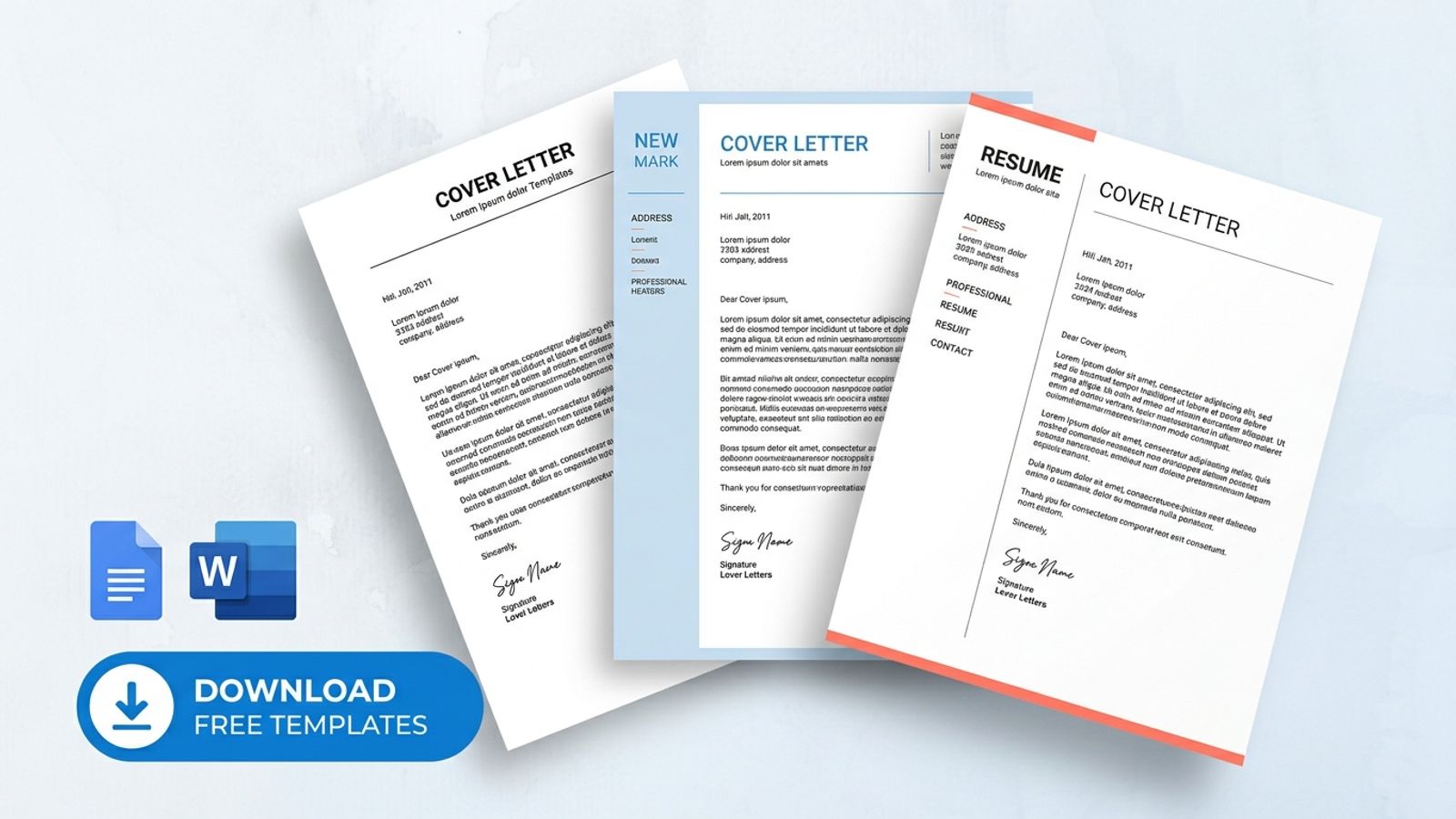
A cover letter template saves you 20 minutes of formatting. It does not save you from sounding like everyone else. ResumeGo tested this with thousands of applications: generic/template cover letters got a 12.5% callback rate. Tailored ones got 16.4%. No cover letter at all: 10.7%. The template barely beats doing nothing.
The difference between 12.5% and 16.4% is customization. 78% of hiring managers say it is easy to tell when a cover letter was tailored to their role specifically (ResumeGo). 73% can spot copy-paste letters instantly. A template gives you structure. What you put inside it determines whether anyone reads past the first paragraph.
A template with your name swapped in is still a template. Recruiters read hundreds a week and can spot copy-paste in seconds. The template is the skeleton. You supply the muscle.
For how to write the content itself, see our complete cover letter guide with 8 templates and opening line examples.
Mirrai Careers
Match your resume to any job in seconds
Upload your resume, paste a job description, see your match score.
Try FreeFree month of Pro with code LAUNCH
Best Free Cover Letter Templates for Google Docs
Google Docs offers 5-6 built-in cover letter templates in the Template Gallery under "Letters." Each has a matching resume template for a cohesive application package.
| Template | Style | Best For |
|---|---|---|
| Spearmint | Crisp, minimal, modern | Corporate roles, clean look |
| Swiss | Clean lines, structured | Professional with subtle edge |
| Coral | Vibrant color accent | Marketing, advertising, design |
| Serif | Elegant, timeless | Executive, legal, finance |
| Modern Writer | Classic professional | Traditional industries |
Access: docs.google.com > Template Gallery > Letters section. Click any template, it opens as a copy in your Drive.
If you're submitting through an online portal, use Spearmint or Modern Writer. Single-column, standard fonts, nothing for ATS to choke on. Coral and Swiss look better on screen but can cause parsing issues if the company scans cover letters (some newer ATS platforms do).
Best Free Cover Letter Templates for Word
Microsoft Word offers approximately 14 cover letter templates across 4 categories:
| Category | Templates | Best For |
|---|---|---|
| ATS-friendly | ATS Stylish Accounting, ATS Finance, Simple ATS Healthcare, ATS Simple Classic | Any application going through a portal |
| Simple | Simple UI/UX Designer, Geometric, Bold Minimalist Professional | Clean, professional, versatile |
| Bold | Bold Nursing, Bold Food Service | Industry-specific with personality |
| Industry-specific | Healthcare, Graphic Designer, Web Developer, Financial | Targeted roles where industry format is expected |
Access: File > New > search "cover letter," or visit word.cloud.microsoft/create/en/cover-letter-templates/ (free, no Microsoft 365 subscription required for Word for Web).
Word templates labeled "ATS" in the name have been designed specifically for parsing compatibility. Start with those for online applications. Use the design-forward ones only when emailing directly to a person.
How to Choose the Right Template
| Situation | Template Style | Why |
|---|---|---|
| Corporate (banking, legal, consulting) | Clean, single-column, conservative | These industries expect restraint. Design ≠ professionalism here. |
| Creative (marketing, design, media) | Color accents, modern fonts OK | Some personality expected. But ATS still applies if submitting through a portal. |
| Entry-level / student | Simple, emphasizes education + skills | You don't have enough content for elaborate layouts. |
| Career change | Skills-forward layout | The template should lead with transferable abilities, not job history. |
| Executive | Understated, metrics-focused | Let the achievements speak. The template stays quiet. |
Universal rule: if applying through an online portal (LinkedIn, Indeed, company career page), use .docx format, single-column, standard fonts (Arial, Calibri, Times New Roman), no decorative elements. Save the designed version for direct emails.
Does ATS Scan Cover Letters?
Sometimes. Not all ATS systems parse cover letters, but newer platforms (Greenhouse, iCIMS, Lever) increasingly do. Older systems (Taleo) often skip them. Since you cannot know which system the company uses, assume your cover letter might be scanned.
ATS-safe formatting for cover letters follows the same rules as resumes:
- Single-column, left-aligned text
- Standard fonts, 10.5-12pt
- No tables, text boxes, graphics, or multi-column layouts
- .docx format (4% failure rate) over PDF (18% failure rate)
- Include keywords from the job description naturally in the text
Cover letters are narrative text, not structured data. ATS handles resumes easily (clear sections, dates, job titles) but struggles with free-flowing paragraphs. Your cover letter keywords still matter. The formatting matters less.
Template vs. Writing From Scratch
The data on template vs. custom:
| Approach | Callback Rate | Source |
|---|---|---|
| No cover letter | 10.7% | ResumeGo (6,000+ applications) |
| Generic template (fill in blanks) | 12.5% | ResumeGo |
| Tailored cover letter | 16.4% | ResumeGo |
| Personalized (addressed to specific person) | +50% more responses | TopResume (1,000+ applications) |
A generic template is barely better than sending nothing (+1.8 percentage points). Tailoring adds another 4 points. Addressing it to a specific person adds another 50% on top. The further you get from "template as final product," the better your results.
A template handles structure, formatting, section order, spacing. It does nothing for the actual content. If you only swap the company name and job title between applications, a recruiter will notice within 30 seconds.
“Cover letters are useless comedy. Everyone either rewrites the same template for the 50th time or lets AI generate a fake-ass personality. Recruiters know it, we the applicants know it, and yet we've all been stuck pretending it matters.”
The frustration is valid. But the data still shows tailored letters get 53% more callbacks. The solution is not to stop writing them. It is to write fewer, better ones for roles you actually want, using a template for structure and your own research for content.
How to Customize a Template
The mistake: treating a template as mad-libs (swap [Company Name], [Job Title], done). What to actually change:
- Opening line: replace the generic "I am writing to apply..." with a specific hook (a metric, a referral, something about the company)
- Body paragraph 1: match your biggest achievement to their top requirement. Pull the requirement from the job description.
- Body paragraph 2: show you researched the company. Name a product, initiative, or value that connects to your experience.
- Closing: state the next step clearly. "I would welcome a conversation about [specific topic]" beats "I look forward to hearing from you."
- Salutation: find the hiring manager's name. "Dear Hiring Manager" is acceptable but generic. "Dear [Name]" signals research.
After customization, the template should be invisible. If a recruiter can tell you started from a template, you did not customize enough.
Or skip the template entirely. Mirrai's Cover Letter Generator creates a tailored draft from your resume and the job description. Edit it to add your voice.
Before you leave
See how your resume stacks up
Paste any job description and get your match score in 30 seconds.
Try FreeFree month of Pro with code LAUNCH
FAQ
Are free cover letter templates good enough?
Should my cover letter template match my resume template?
Can I use a Canva cover letter template?
How many cover letter templates do I need?
Do I need a different cover letter for every job?
See also: Google Docs resume templates and Word resume templates for matching your application package.